The Exact Documents You Need When Google Rejects Your Utility Bill Proof
You’ve done everything by the book. You saw the dreaded “Suspended” notice, read the vague guidelines, and promptly uploaded your most recent electric bill. You waited days, perhaps weeks, only to receive that soul-crushing, automated email: “We’ve looked into your appeal and cannot reinstate your profile at this time.” If you are struggling to fix google business profile suspension issues, you are not alone, and the rules of the game have changed drastically.
As a GMB Reinstatement Specialist, I have seen a massive shift in how Google handles verification. As of June 2025, Google quietly removed utility bills (gas, electric, water) from their official help documentation as a primary source of address evidence. What used to be the “gold standard” for proving a business’s physical existence is now frequently ignored or, worse, flagged as insufficient. If you are still relying on a water bill to save your rankings, you are likely falling into the “Utility Bill Trap.”
In this guide, I will break down exactly why your utility bills are being rejected and provide the high-authority document list you need to get your business back on Google Maps. If you’ve been struggling with the process, you might be falling victim to The One Document Error Ghosting Your Google Business Profile Reinstatement.
Why Google Rejects Your Utility Bill in 2026
The landscape of google business profile optimization has evolved. In 2026, Google’s automated review systems and manual support teams have grown incredibly skeptical. The primary reason for the shift away from utility bills is simple: they are too easy to forge. With high-end PDF editors and AI-assisted document generation, a “utility bill” no longer carries the weight of a government-verified record.
Furthermore, Google is cracking down on “high-risk” categories – locksmiths, plumbers, roofers, and garage door repair companies – where fraudulent listings are rampant. For these industries, a utility bill is seen as “non-authoritative.” If your business operates as a Service Area Business (SAB) and you are attempting to rank across an entire state, your utility bill will almost certainly be rejected. Modern Google algorithms flag broad service areas as a major red flag. To fix google business profile suspension, you must limit your service radius to a realistic 1 – 2 hour driving distance from your base of operations.
Before you submit another appeal, it is critical to use a google business profile audit tool to ensure your profile data is perfectly aligned with your legal documents. Any discrepancy between your “Underlying Address” in the dashboard and the address on your paperwork will result in an instant rejection. If you want to improve google maps ranking, you first have to prove you have the right to be there.
The New “Big Three”: Primary Documents Google Actually Wants
If utility bills are out, what is in? To successfully navigate a google business profile reinstatement, you need what I call the “Big Three.” These are documents that Google views as high-trust, government-verified evidence of your business’s existence and location.
1. Official Business Licenses
This is the most important document in your arsenal. Whether it is a municipal general business license or a state-level professional license, it must be current and clearly display your business name and the address used on your GBP. Many business owners make the mistake of submitting expired licenses or licenses registered to a home address while their GBP uses a commercial one. This mismatch is a primary reason Why Your Business License Photos Are Getting Rejected for GMB Restoration.
2. Tax Documents (IRS/HMRC/Local Authority)
Nothing says “I am a real business” like the government demanding its share of your revenue. An IRS SS-4 confirmation letter (the document that assigned your EIN) or a 147C letter is considered the ultimate proof in the United States. These documents are difficult to fake and are tied directly to your legal entity. Ensure the Name, Address, and Phone (NAP) on these forms matches your profile exactly.
3. Government-Registered Business Certificates
Your Articles of Incorporation, Articles of Organization, or stamped DBA (Doing Business As) filings are essential. These prove the legal formation of your company. If you have recently moved, ensure you have filed a “Change of Address” with the Secretary of State before using these for an appeal. Google’s manual reviewers often cross-reference your submitted documents with state databases.
Secondary Proof: Strengthening Your Case
Sometimes the “Big Three” aren’t enough, especially if you are in a highly competitive niche or are appealing a second suspension. In these cases, you need to provide supplementary evidence to rank higher on google maps by establishing an undeniable “Trust Trail.”
- Commercial Lease Agreements: If you have a physical storefront, a signed lease agreement is powerful. It should include the landlord’s contact information and clearly define the space you occupy.
- Business Insurance Policies: A Certificate of Insurance (COI) for general liability or professional indemnity is a massive trust signal. It shows that an insurance company has vetted your business and is willing to underwrite your risks at that specific location.
- Professional Licenses: For contractors, a master plumber or HVAC license is often more persuasive than a general business license. It proves you are legally authorized to perform the services you list on your profile.
For a deeper dive into these signals, check out my guide on 7 Specific Trust Signals That Prove Your Local Business Exists to Google. These signals are the backbone of any successful local seo services strategy.
Formatting Secrets: Why Your Scans Are Getting Rejected
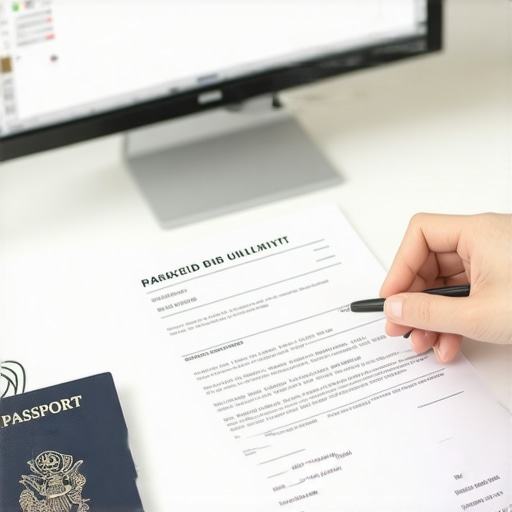
You could have the perfect document, but if the format is wrong, Google’s AI will reject it before a human ever sees it. This is a technical hurdle that many SEOs overlook.
Avoid the “Photo Metadata Glitch”: When you take a photo of a document and edit it (cropping, brightening, or converting to PDF), you often strip or alter the metadata. Google’s spam filters look for “clean” metadata to ensure the photo wasn’t manipulated or downloaded from the internet. This is a common issue discussed in The Photo Metadata Glitch Preventing Your GMB Restoration.
Technical Requirements for 2026:
- No Screenshots: Never send a screenshot of a document. Always use a high-resolution scan or a clear photo of the physical paper.
- Show All Four Corners: If you are photographing a document, make sure all four corners of the paper are visible in the frame. This proves you are holding the actual document.
- High-Resolution PDFs: If using digital files, ensure they are original PDFs from the issuing authority, not “Print to PDF” versions of a website.
- No Blurry Text: If a human can’t read the fine print, the AI certainly won’t approve it.
The Service Area Business (SAB) Dilemma
Contractors – such as plumbers, roofers, and HVAC technicians – face the hardest path to reinstatement. Because you don’t have a storefront, Google is naturally more suspicious of your location. To fix google business profile suspension for an SAB, you must go beyond paperwork.
You need to prove you have the “tools of the trade” at your registered address. This includes:
- Vehicle Registration: A photo of your commercial vehicle registration showing the business address.
- Branded Equipment: Photos of your branded van or truck parked at your home/office with the license plate visible.
- Inventory/Tool Storage: Photos of your garage or storage unit filled with the equipment necessary to run your business.
Once your profile is restored, you’ll need professional local seo tools to monitor your rankings and ensure you aren’t straying into “spammy” territory that could trigger a re-suspension. Maintaining a clean profile is the key to long-term local seo for contractors.
Step-by-Step: The 2026 Reinstatement Workflow
If you find yourself stuck in a loop, follow this exact workflow to How to Beat the Automated Rejection Loop for Google Reinstatements:
- Audit the Profile: Check for policy violations (e.g., keyword stuffing in the name, virtual office addresses, or an excessive service area).
- Gather the “Big Three”: Secure your Business License, Tax Docs, and Incorporation papers. Ensure the NAP is 100% consistent.
- Clean the Citation Trail: Ensure your website, Facebook, and Yelp listings all match the data on your documents.
- Submit via the Official Appeal Tool: Use the Google Business Profile Management tool to submit your appeal. Do not email support directly unless prompted.
- Wait 72 Hours: Do not submit multiple appeals. This resets your place in the queue and can lead to a “Permanent Denial.”
Conclusion: Moving Beyond the Utility Bill
The days of fix google business profile suspension with a simple electric bill are over. Google’s June 2025 update has moved the goalposts, requiring business owners to provide much higher levels of legal and government-backed proof. If you continue to submit rejected documents, you risk having your business permanently blacklisted from Google Maps.
Don’t let your local rankings slide while you fight with an automated system. If you have been rejected multiple times or if your business is your primary source of leads, it’s time for professional intervention. At GMB Exorcism, I specialize in navigating these complex policy shifts to get your business back where it belongs – at the top of the Map Pack.
Ready to get your profile back? Contact Us today for a professional reinstatement audit.
About the Author: Fiza Feroz is a leading Google Business Profile Reinstatement Specialist and Local SEO Expert. With years of experience tackling the most “impossible” suspensions, she helps businesses worldwide reclaim their digital presence and dominate local search results.